
BRAC International · AIM Programme
BInsight: One Platform to Run AIM Across Five Countries
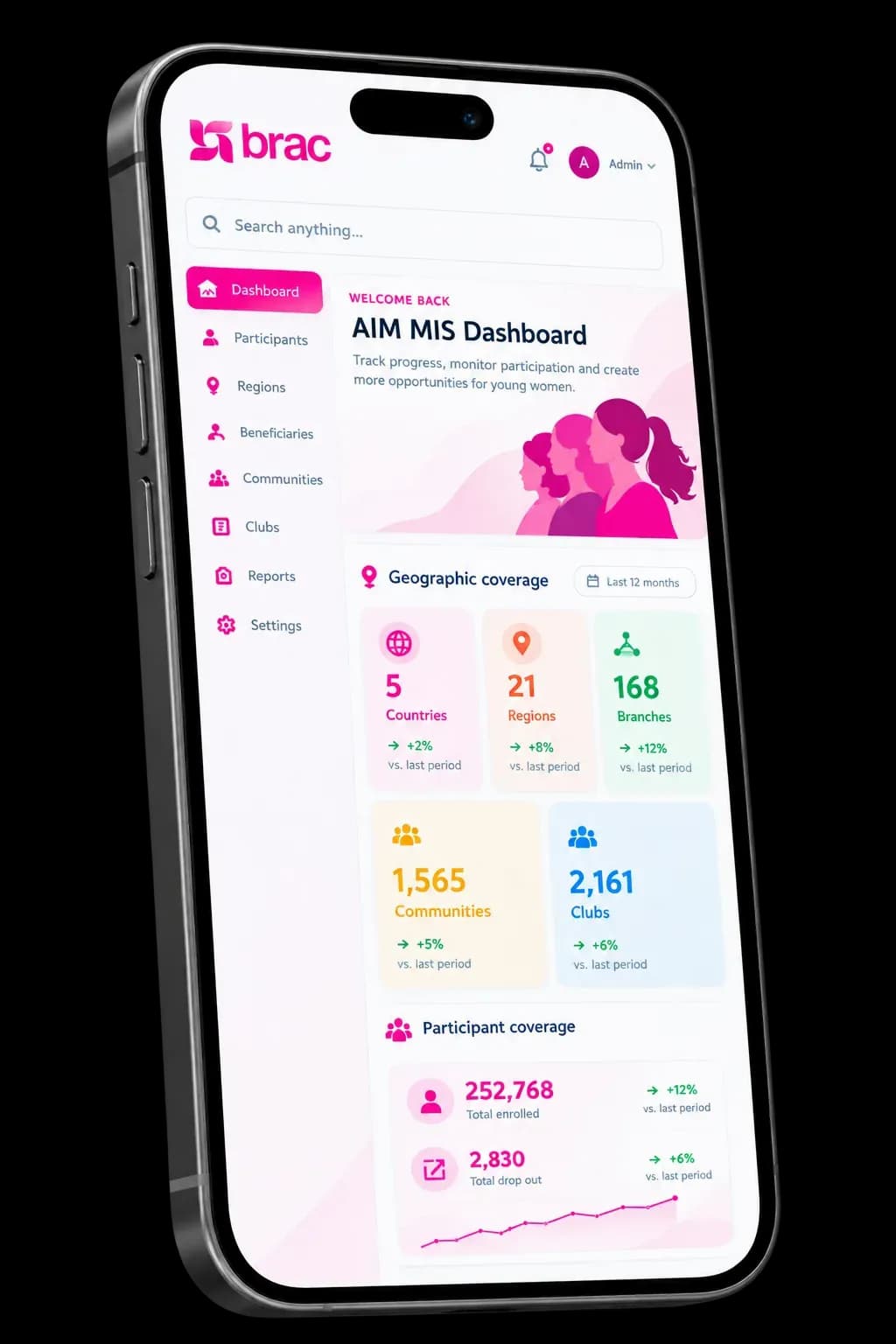
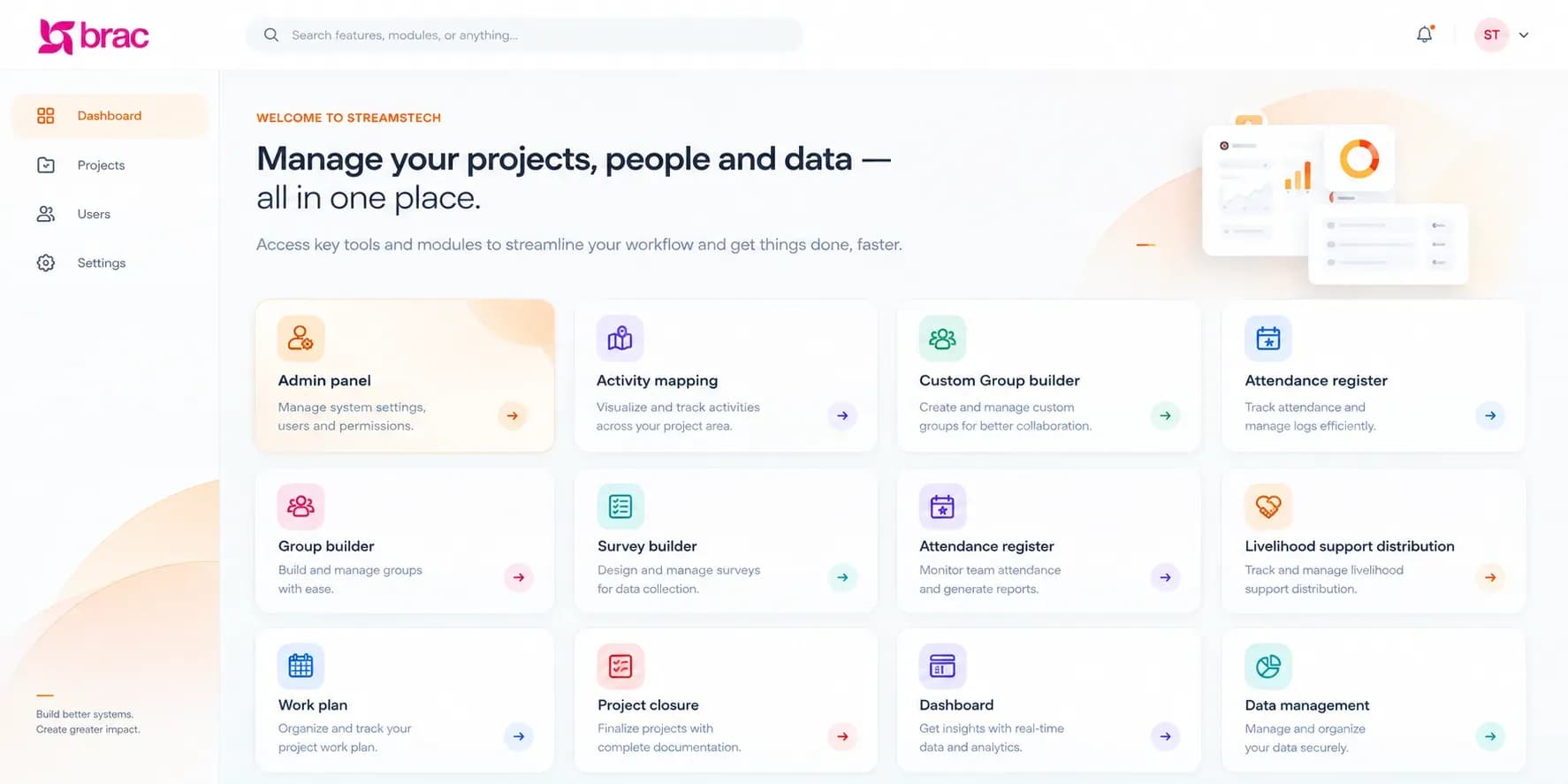
Streams Tech built BInsight, the web platform and offline-ready field app BRAC International uses to plan, deliver, monitor and supervise the Mastercard Foundation AIM programme for adolescent girls and young women.
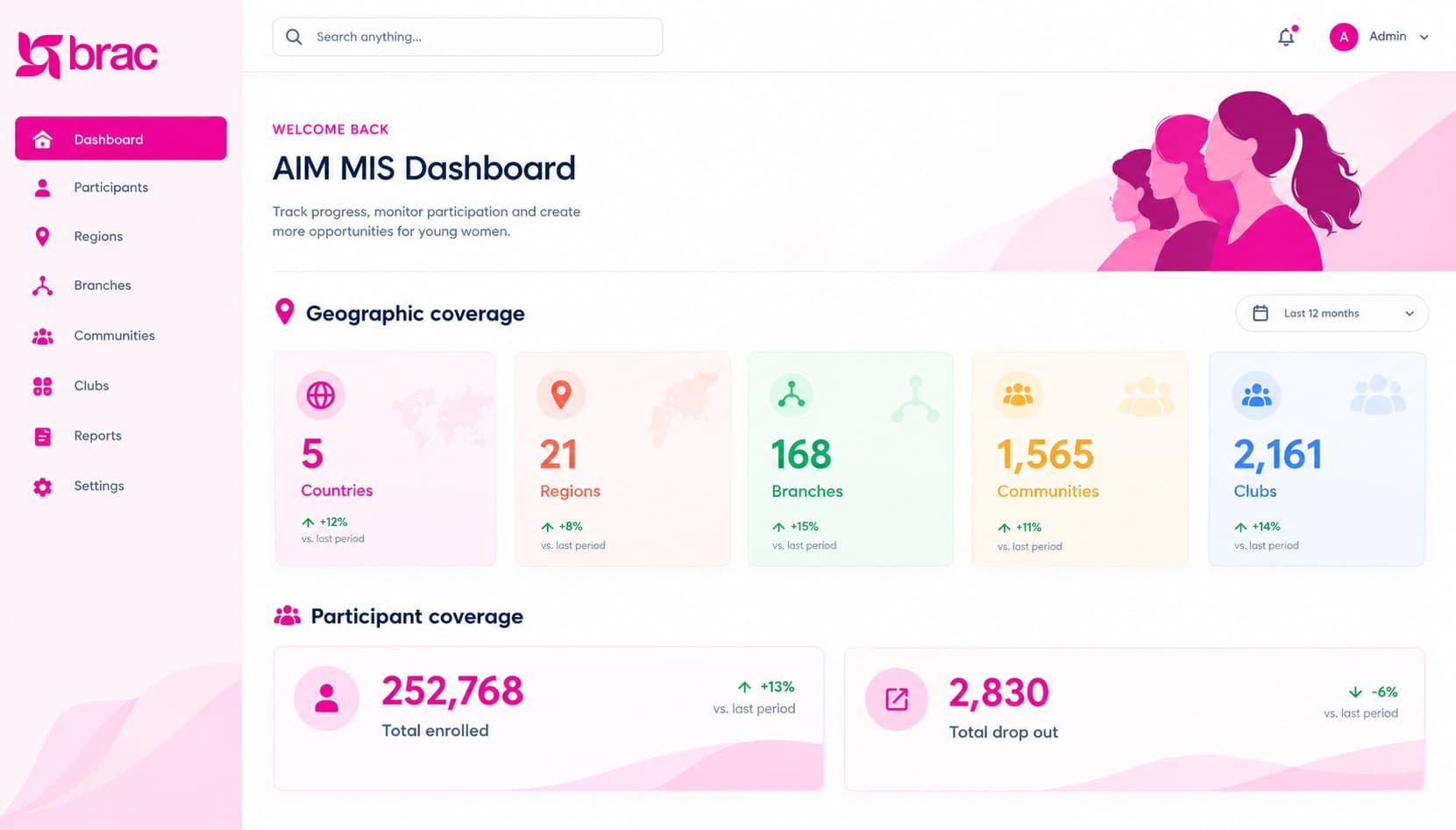
320,000+
Club participants
5,600
Mentors
119,000
Young women trained in financial literacy
1.2M
Adolescent girls and young women AIM aims to equip over five years
Programme results reported by BRAC USA.
One BInsight platform runs AIM for BRAC International in
- Uganda
- Tanzania
- Rwanda
- Liberia
- Sierra Leone
Digitising a five-country programme, from household to graduation
BRAC International runs AIM with the Mastercard Foundation to equip 1.2 million adolescent girls and young women over five years. Participants join community clubs led by trained mentors, are grouped by age, and move through curriculum sessions, livelihood training, asset transfers and savings groups.
Running that model across five countries meant tracking every household, club, group, session and transfer, often where connectivity is weak. Streams Tech built BInsight for this: a configurable web platform for headquarters, country and branch teams, paired with a field app that keeps working offline and syncs when staff reconnect.
- Client
- BRAC International
- Programme
- The Mastercard Foundation Accelerating Impact for Young Women (AIM) in Partnership with BRAC
- Platform
- Web application and offline-ready field app, 30+ configurable modules
- Solution
- Programme management, monitoring and supervision system (web + mobile)
- Our role
- Requirements, design, development, documentation and ongoing releases
What AIM needed from its data
Six constraints shaped the brief: one model across five countries, field work without reliable internet, and rules that decide who moves forward.
Five countries, one model
Each country has its own geography, office structure, currency and fiscal calendar, yet AIM needed one shared model and one set of indicators.
Field work without reliable internet
Programme staff collect data in rural communities where coverage drops, so field tools had to work offline.
Complex eligibility rules
Who joins which group, who gets livelihood support and who graduates depends on age, attendance, survey scores and loan history.
Duplicate and scattered records
Manual tools let the same mentor sit in two clubs or a participant appear in two groups, which distorted counts.

Slow consolidation
Pulling field data together across countries was manual, so managers saw progress against targets late.
Supervision at scale
Managers needed to approve plans, follow up complaints and spot dropout risk while a cohort was still running.
One platform, two working surfaces
BInsight pairs a configurable web platform with an offline-ready field app. Programme teams design projects, forms, activity plans and rules on the web. Field staff carry them to communities on their phones, and every record syncs back to one database for dashboards, approvals and eligibility runs.
Web platform
for headquarters, country and branch teams
Country, geo and office hierarchies down to village level
Projects, cohorts, donors, currencies and fiscal periods
Survey and form builder with versioning and logic
Activity plans with targets and a Gantt chart
Eligibility rules, custom dashboards and datasets
Role-based access scoped to offices, projects and villages
Field app
for programme assistants and field staff
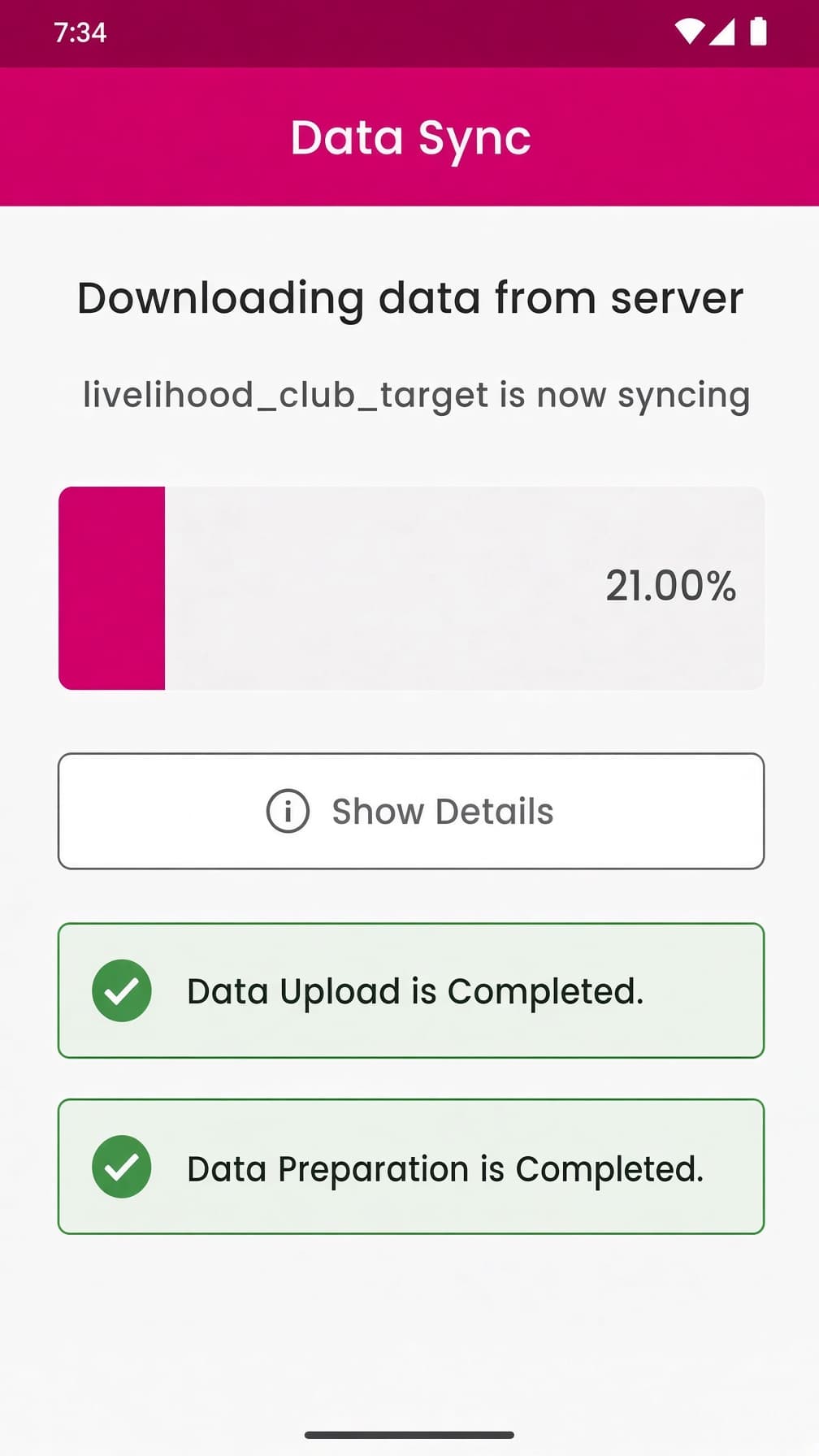
Works offline; one Data Sync uploads local records, then downloads updates
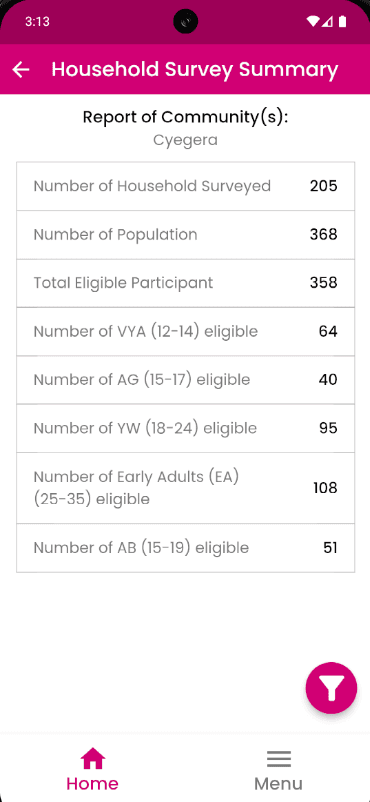
Household and member surveys with consent and eligibility checks
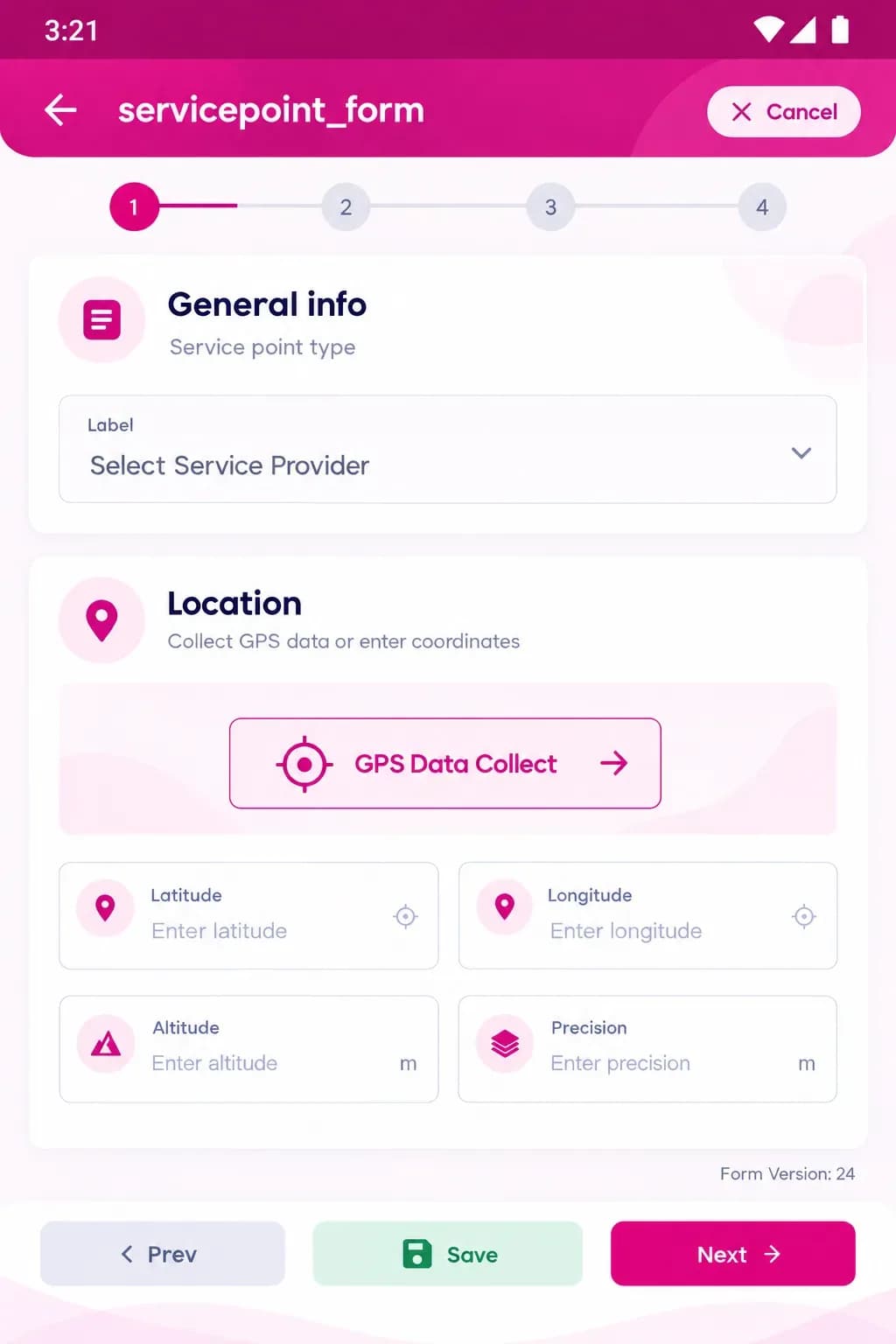
Clubs, groups and mentors, with GPS location and photos
Session plans, attendance and execution
Livelihood training, asset transfers, VSLA meetings and follow-ups
8 on-device reports, including dropout risk
Built to be configured, not rewritten
Nine building blocks that programme teams set up themselves, from survey design to supervision and access control.
No-code survey builder
15 question types, skip, calculation and validation rules, translations and versioned publishing. Forms move between servers as JSON.
Mobile process builder
A drag-and-drop designer for field workflows, so new processes reach the app on the next sync without a code release.
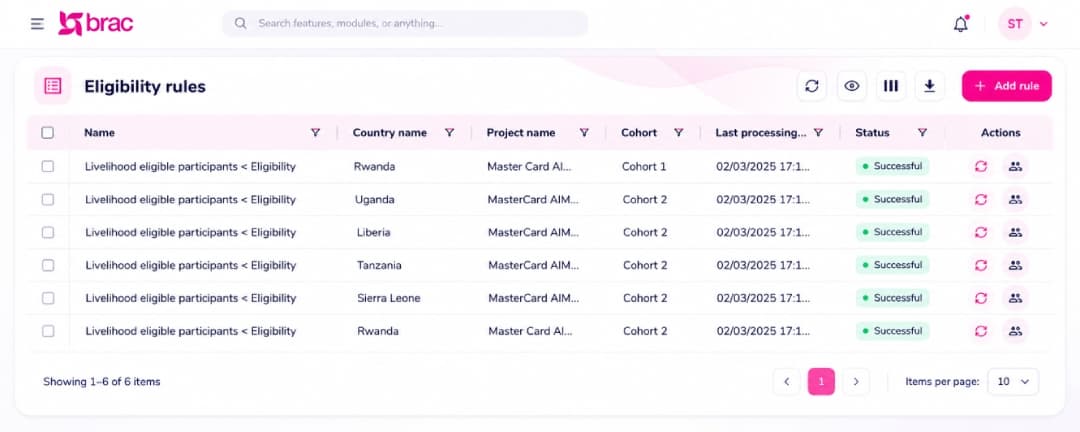
Eligibility rule engine
Rules combine survey answers, session attendance, group membership and custom data. One run returns the eligible participants per country.
Activity planning
Activity trees with dates, targets, units and dependencies for each project and cohort, shown on a Gantt chart.
Curriculum delivery
Curriculum structures, session schedules, event plans, attendance and execution, locked once submitted.
Livelihoods and savings
Enterprises, asset costs, branch and club targets, asset transfers, VSLA meetings and follow-up visits.
Custom dashboards and datasets
23 widget types, including embedded Apache Superset, on SQL views and materialized views. Each user or role gets its own landing page.
Supervision and accountability
Action plans with supervisor approval, complaints tracked by severity and assignee, and email notifications.
Access and localisation
Permissions for every menu and button, user access by office, project and village, single sign-on and per-language translations.
Inside the platform
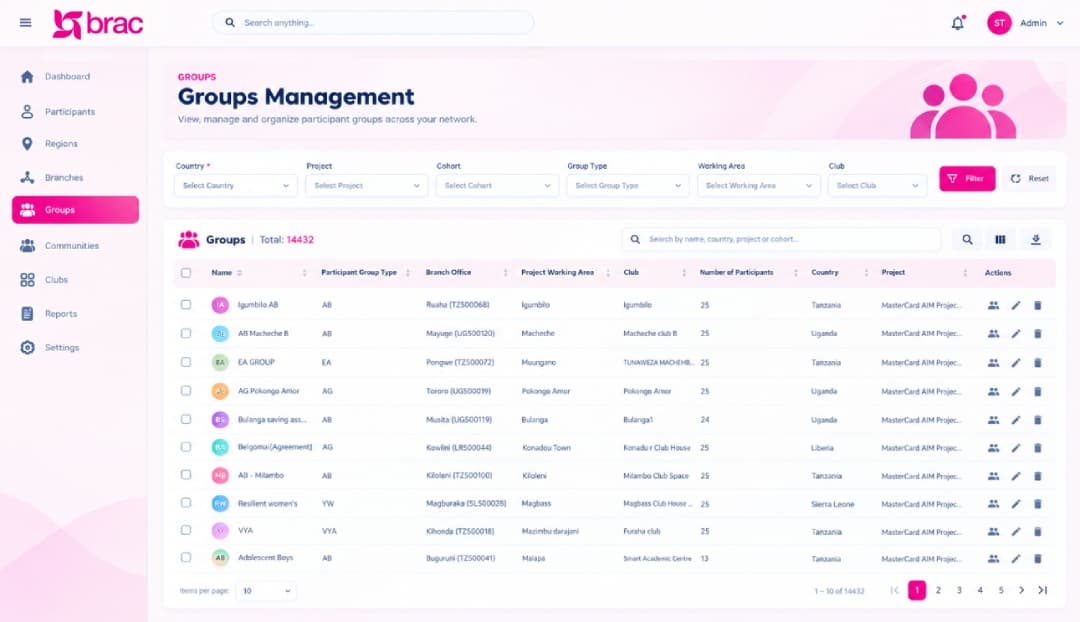
Five parts of BInsight, shown as programme teams and field staff use them.
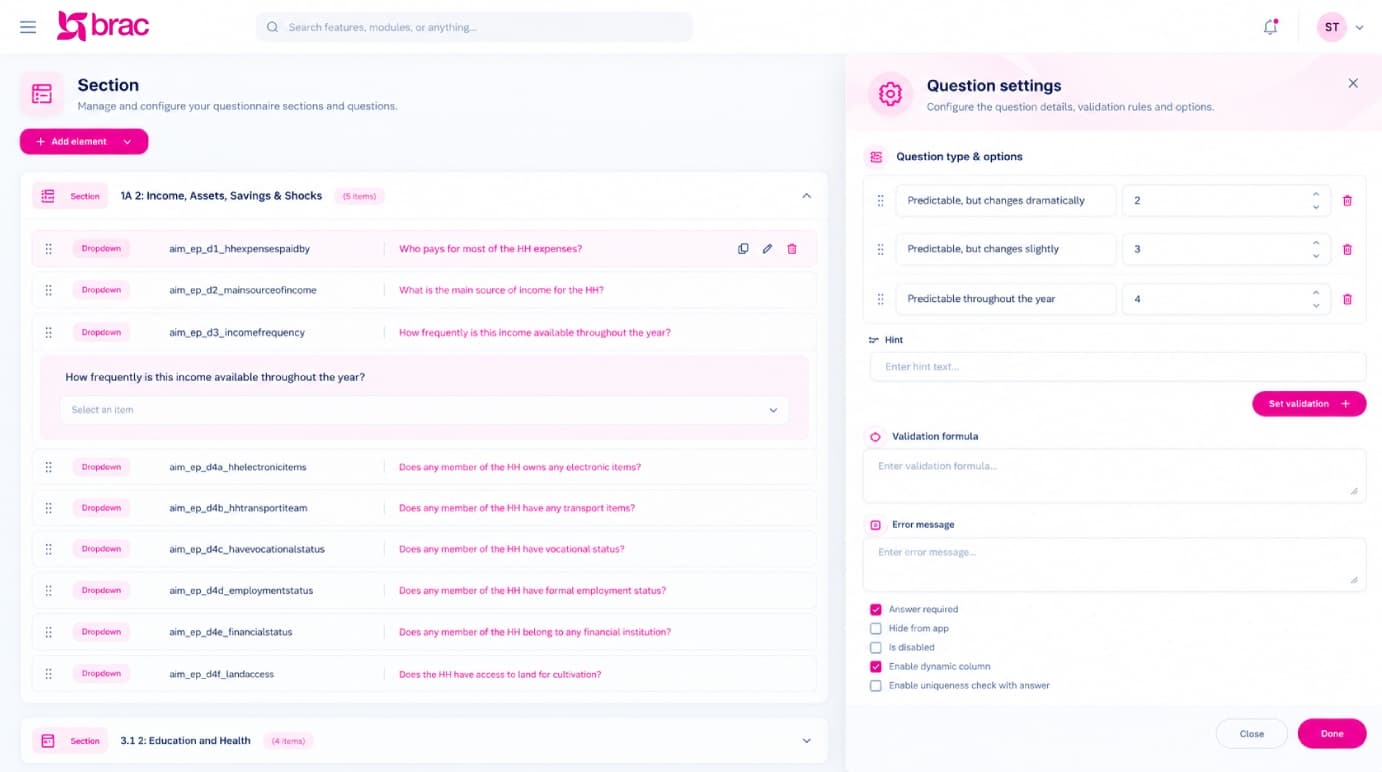
Design any survey, then reuse it
Programme teams build household, member, mentor and monitoring forms themselves. Questions carry skip and calculation logic, validation formulas and translations, and each form is versioned, shared by role and published to the field app.
- 15 question types, including GPS, image and repeating groups
- Uniqueness checks that block duplicate entries
- Forms exported and imported as JSON between servers
- Collected data downloaded as Excel or JSON
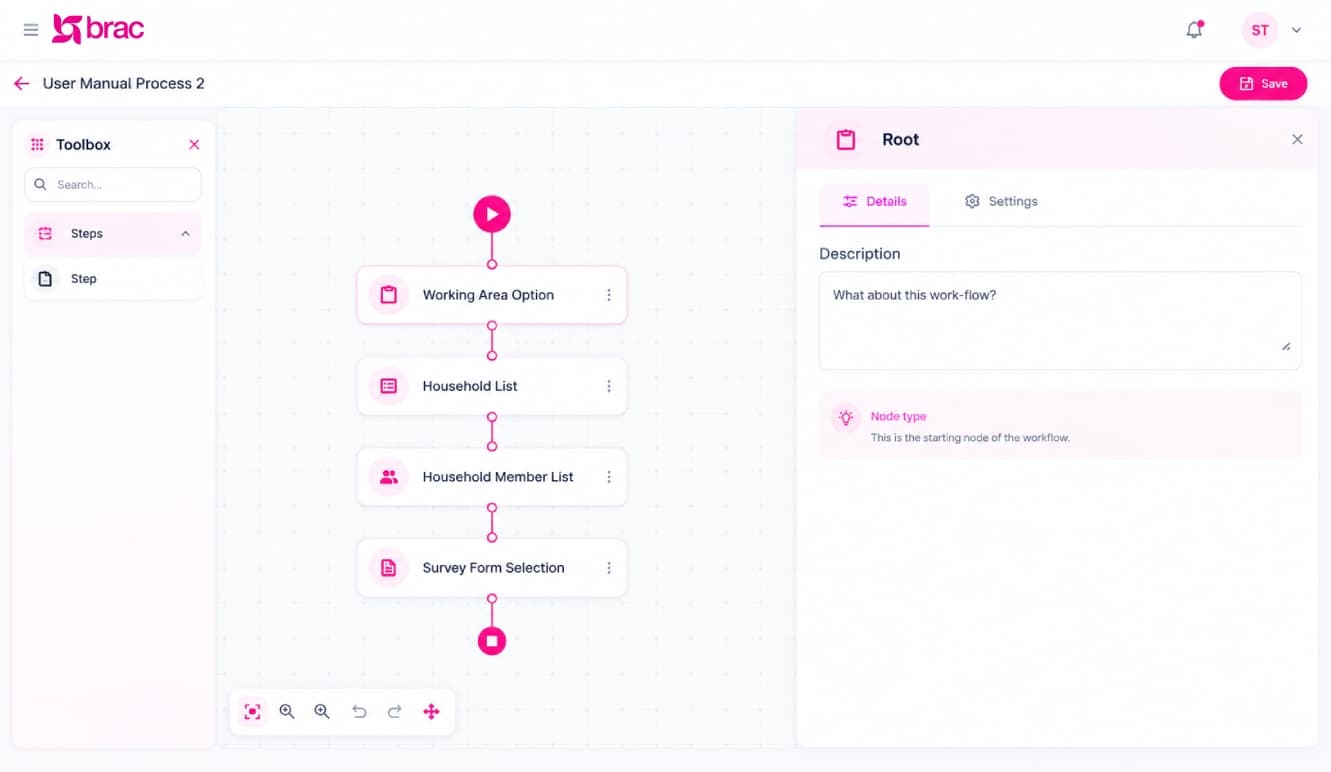
Field workflows without a code release
The process builder lets admins chain working-area pickers, lists and survey steps into a mobile workflow on a visual canvas. Processes can be cloned, shared by role and exported, and they reach the app on the next sync.
Eligibility decided by rules, not spreadsheets
Eligibility rules combine survey answers, session attendance, group membership and custom datasets. Rules join into rulesets for milestones such as livelihood support or certification, and one calculation run lists the eligible participants for each country and cohort.
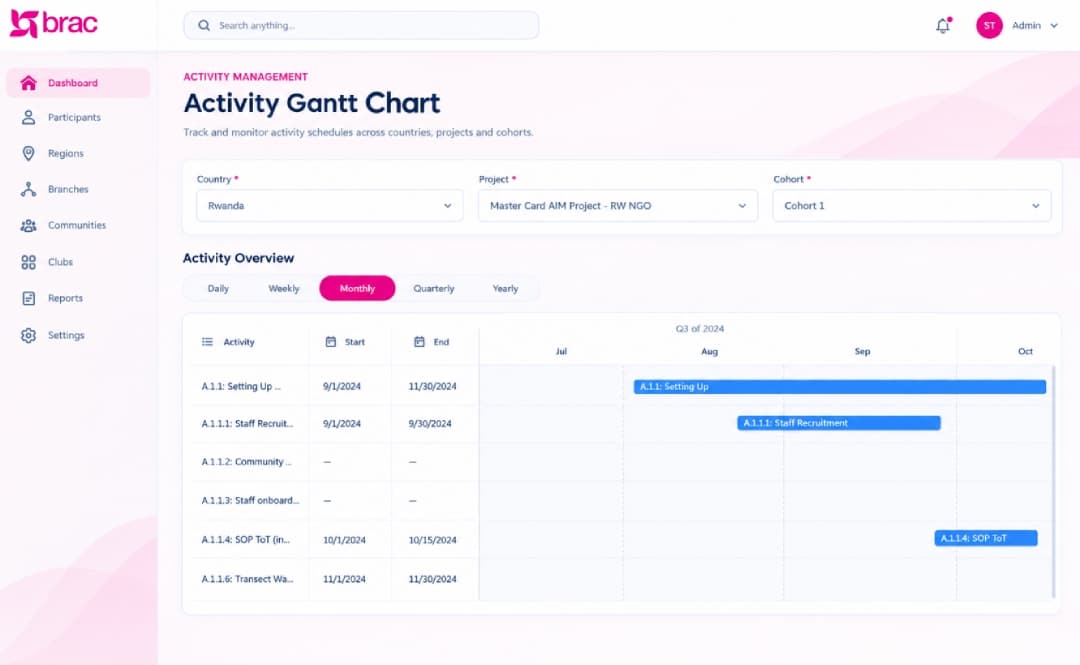
Every activity on one timeline
Each project and cohort gets an activity tree with dates, targets, units and dependencies. Parent dates roll up from their tasks, and the Gantt chart shows the plan by day, week, month, quarter or year.
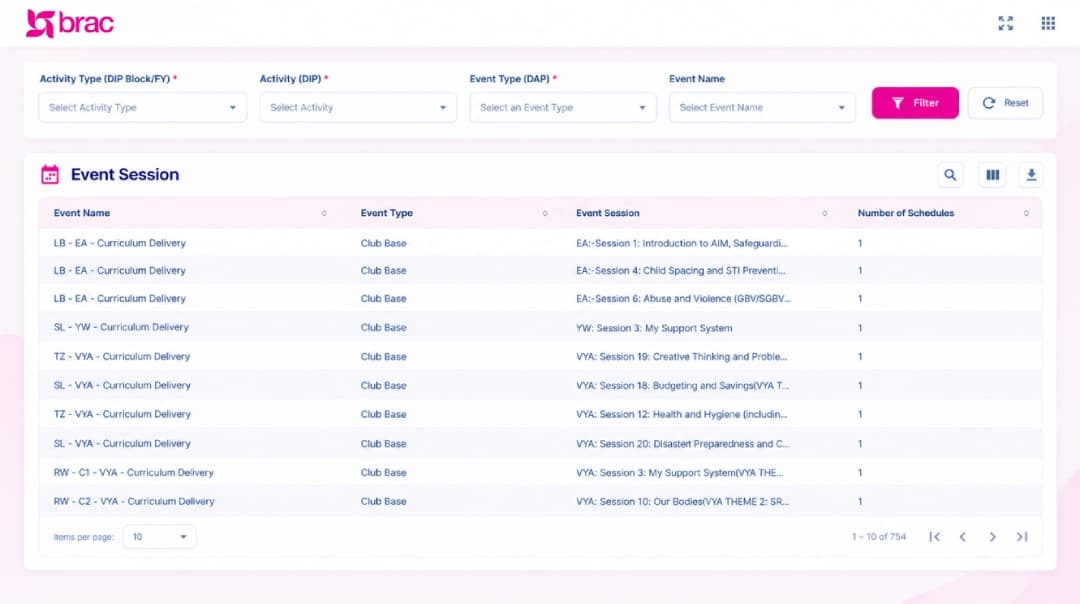
Curriculum delivery at club level
Curriculum themes and sessions are set up once, then scheduled by location. Field staff plan sessions, take attendance and mark them executed in the app, and the web shows which sessions ran in every country.
Built for the field, online or not
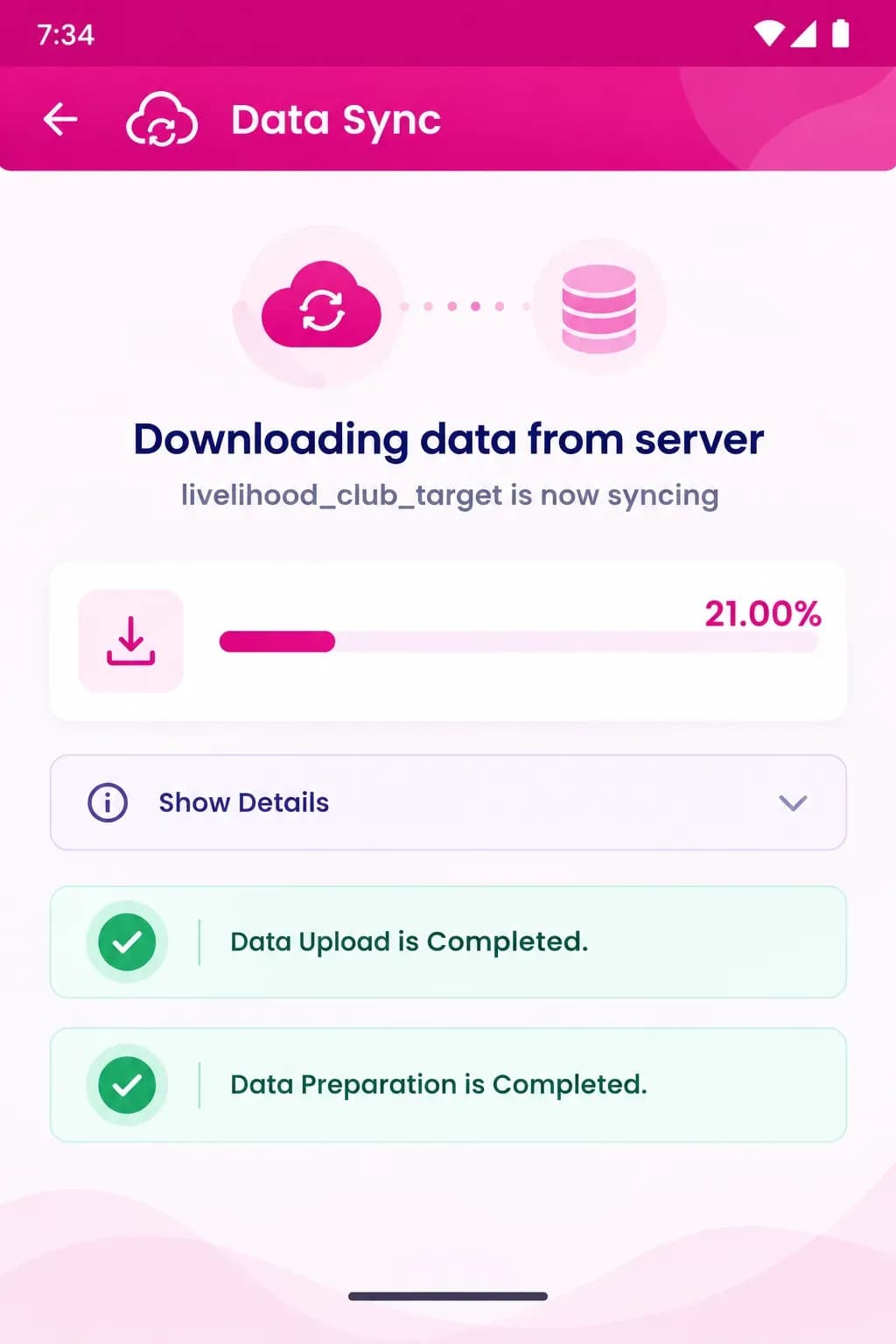
Programme assistants work in communities with patchy coverage, so the app saves every record on the phone and marks it Not Synced until the next Data Sync. That sync uploads local data first, then downloads the latest forms, settings and working-area data. If a sync is interrupted, it resumes where it stopped.
Working-area picker from country down to community
GPS capture for clubs and service points
Photo and file uploads on meetings, clubs and complaints
Records lock after submission, which prevents conflicting edits
Supervisors approve or reject action plans from the phone
From setup to decisions in six steps
The route data takes from headquarters configuration to the field and back to one database.
- 01
Configure
Headquarters sets up country geo and office trees, projects and cohorts, forms, activity plans and eligibility rules on the web.
- 02
Sync to the field
Staff log in, choose their project and cohort, and download their working area, forms and settings.
- 03
Survey and target
Household and member surveys capture consent, demographics and poverty scores, and flag who is eligible for each age group.
- 04
Form clubs and groups
Staff register mentors and clubs with GPS and photos, then enrol eligible participants into groups.
- 05
Deliver and track
Sessions are planned, attended and executed, and livelihood training, asset transfers, VSLA meetings and follow-ups are recorded.
- 06
Review and decide
Data syncs to the web, where dashboards, approvals, eligibility runs and certification checks all work from one database.
The programme's rules, applied as data is captured
BInsight checks field data against AIM's delivery rules at the point of entry, so eligibility and certification don't depend on manual review.
Age groups: VYA 12-14, AG 15-17, YW 18-24, EA 25-35, AB 15-19
The household member survey flags who is eligible for each group type
Mentors aged 20-35, with male and female limits per club
Checked at mentor registration and club formation
Certification after at least 75% of club sessions (18 of 24; 12 of 16 for EA)
Checked before participants are certified
Microfinance selection: 18+, no BRAC loan in the last 18 months
Applied in participant selection for microfinance
Follow-up within 72 hours of an asset transfer, then home visits for 6 months
Tracked as follow-up meetings in the app
Group size limits and an enrolment cut-off, after which removals count as dropouts
Set per project and cohort in group settings
What powers BInsight
The platforms, data layer, identity, data exchange and field-capture tools behind the system.
Platforms
Web, Android and admin surfaces that share one database.
Web application
Android field app with offline sync
Admin panel
Data and analytics
One relational store feeding dashboards and exports.
Relational SQL database (views, materialized views)
Apache Superset embedding
Custom dashboards
Excel and JSON exports
Identity and access
Single sign-on and permissions down to button level.
Smart Identity System (SIS) single sign-on
Google Sign-In
Email OTP password reset
Menu- and button-level permissions
Data exchange
Bulk import and API sync with full logs.
External API sync with logs
CSV and Excel import
Survey and process JSON import/export
Field capture
Location, media and consent captured on the device.
GPS coordinates
Photo and file uploads
Consent capture
Deliverables
The software, documentation and releases handed over to BRAC International.
BInsight web application: admin panel plus modules for groups, events, surveys, activities, livelihoods, AIM MIS, action plans and complaints
BInsight field app for Android, with offline data capture and sync
Survey builder, process builder, custom modules and custom dashboards
Eligibility rule engine with rulesets and calculation runs
Software Requirements Specifications for web and mobile (v4.5.0, October 2024)
Web and mobile user manuals (v6.4.0.5 and v6.3.1, March 2025)
Continuous releases: the documents show versions from 4.5 to 6.4 between October 2024 and March 2025
One live record of AIM
BInsight gives BRAC International one live record of AIM, from the first household survey to graduation. Country, regional and branch teams work from the same data, eligibility and certification follow the programme's own rules, and supervisors see plans, complaints and dropout risk as they happen.
Ready to transform your business ideas into reality?
Whether you're building from scratch, modernising, or extending your team.