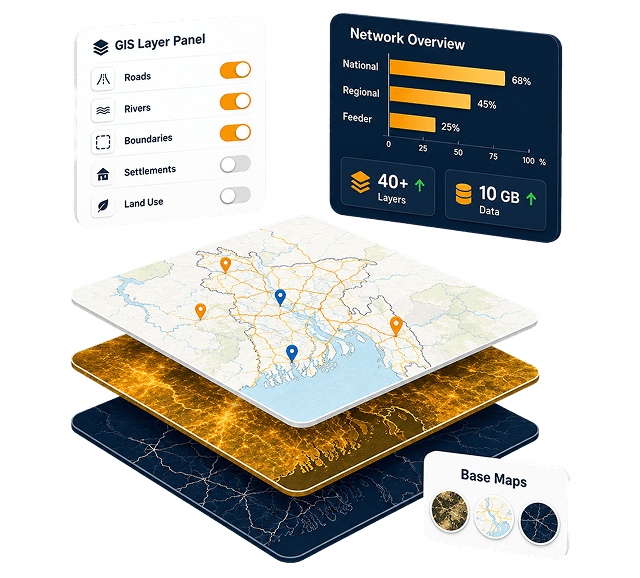

LGED GIS Portal for Project Planningg
A web-based GIS mapping and decision-support platform for Bangladesh's national infrastructure planning agency - delivered in 3.5 months, on budget, to full specification.
40+
GIS LayersRoads, rivers, boundaries & infrastructure10 GB
Road Network DataLive-linked to interactive maps3.5
Months DeliveredContract to production deploy100%
Features ShippedAll prioritized requirements metModernizing infrastructure planning at a national scale.
The Local Government Engineering Department (LGED) is Bangladesh's largest government engineering agency, overseeing rural roads, bridges, markets, and socioeconomic infrastructure across the entire country. Despite maintaining one of the most extensive GIS databases in the region - with a road network dataset exceeding 10 GB - LGED lacked an interactive, web-based platform for its engineers and planners to work with that data dynamically.
StreamsTech's partner firm, Jantrik Technologies Ltd., was awarded a competitive government contract to design and deliver a comprehensive GIS-based web application for LGED's ICT Unit. The engagement spanned requirement analysis, full-stack web development, spatial data engineering, and quality assurance - all completed within a tight 3.5-month timeline and delivered on budget.
The resulting application became the foundation of LGED's web-based GIS infrastructure - enabling every engineer in the country to access dynamic, customizable road maps and project planning tools directly from their browser, without needing any desktop GIS software.
Project Fact Sheet

What LGED needed to overcome
Before this project, LGED's GIS capabilities were largely siloed in static, pre-rendered maps and disconnected desktop tools. Field engineers and planners had no way to interact with the data dynamically.
Static, Uncustomizable Maps
Existing maps were pre-rendered in fixed portrait/landscape layouts. Engineers could not add or remove layers, change symbology, or generate project-specific views without manual effort.
No Database–Map Linkage
The road network GIS shapefiles were entirely disconnected from LGED's central Microsoft Access attribute database. Fetching road details required cross-referencing separate systems manually.
Duplicate Road Risks in Planning
Without a spatial cross-check mechanism, new project proposals frequently contained roads already assigned to other projects or under maintenance - leading to budget waste and duplication.
No Remote Access for Field Engineers
Upazila-level engineers had no self-service tool. Generating a custom district map required sending requests to LGED headquarters, causing delays in local planning and monitoring activities.
Incorrect Coordinate System
All existing GIS shapefiles used Lambert Conformal Conic (LCC) projection, which was incompatible with web mapping standards. A full reprojection to WGS 1984 was required before deployment.
Large Data Volume & Performance
The road network database alone exceeded 10 GB. Delivering interactive, responsive map rendering at this scale on the web required a carefully architected server stack and map engine strategy.
A full-featured GIS platform - built end to end.
Every requirement from LGED's ICT Unit and GIS team was implemented, tested, and deployed - from dynamic layer management to population analysis tools.

Dynamic Custom Map Generation
Toggle 40+ GIS layers and customize symbology, labels, and zoom levels for any project context.

Live DB–Shapefile Linkage
Road shapefiles joined with the GIS database at query time, surfacing attributes directly on the map.

Multi-Criteria Road Search
Locate roads by AADT, IRI, CVD, construction year, or last maintenance year across the national network.

Duplicate Road Detection
Cross-checks databases, highlights duplicates on the map, and generates a detailed checklist report.

Road Served Population
Buffer roads to estimate population served using settlement GIS layers and union-level density data.

School Unserved Area Mapping
Map settlements outside a service radius and quantify unserved areas for educational planning.

Road Density Map
Countrywide paved road percentage at upazila level in configurable density ranges for equity analysis.

Multi-Level Inventory Reports
Exportable at road, upazila, district, and project levels — lengths, counts, socioeconomic summaries.

Road Cross-Section View
Click any road to render a schematic cross-section from database attributes, exportable to image.

Role-Based Admin Control
Control layer visibility, aliasing, zoom rules, and database sync with tiered access levels.

Road Photo Integration
Site photographs surface in the attribute panel on road selection for visual condition assessment.

Project-Based Map View
Filter the map to project roads within district or upazila boundaries with linked inventory reports.
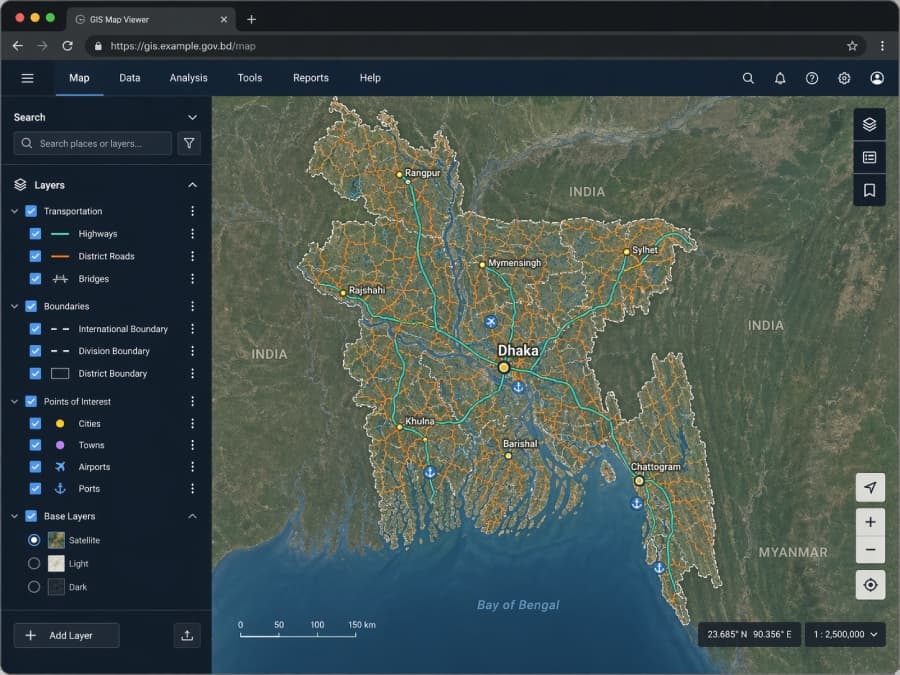
The GIS Map Viewer, used daily by LGED engineers.
Toggle 40+ layers - transportation, boundaries, points of interest, base maps - across the full national road network. Click any road to inspect attributes, exports, cross-sections, and photographs.
- Interactive layer panel with role-based visibility
- Sub-second attribute queries on a 10 GB network
- Satellite, light, and dark base-map switching

Architecture built for scale and longevity
Raw GIS shapefiles are transformed into a central PostgreSQL / PostGIS database via scheduled tasks. An intermediate GeoServer engine handles tile and feature serving. The frontend leverages AngularJS with OpenLayers and LeafletJS; the backend is an ASP.NET MVC RESTful API with Redis-backed session authentication and load balancing across dedicated servers.
Infrastructure
- Windows Server 2012
How we delivered in 3.5 months.
A phased delivery model, tight feedback loops, and structured handover — from first requirements workshop to production deploy and post-launch support.
- 01Weeks 1–4 · Inception
Deep requirements immersion
Eight meetings with LGED's GIS Unit, ICT specialists, and web programmers. Feature requirements catalogued, prioritized, and formalized. GIS shapefile samples and database schemas acquired. Inception Report delivered April 3, 2016.
- 02Weeks 4–9 · Core Build
Map application development
Core mapping built — layer panel, dynamic symbology system, feature selection, attribute viewer, road search. Interim deployment for client review. UI mockups presented May 10; midterm deployment immediately following.
- 03Weeks 9–14 · Advanced
Reports, tools & integration
All reporting modules built. Duplicate road checker, road-served population estimator, school buffer tool, and road density map completed. GIS database synchronization with LGED's central data store implemented and tested.
- 04Week 15 · Delivery
Final deployment & handover
Rigorous five-type testing suite executed. User manual and training materials completed. Source code, test summary, and final report packaged. Full application deployed to LGED production server June 15, 2016 — on schedule.
- 056 Months Post-Launch
Maintenance & support
Structured 6-month corrective and adaptive maintenance program. Bug fixes provided at no cost; enhancement requests estimated and implemented on LGED approval. Dedicated contact lines maintained throughout.
What we handed over.
Every deliverable was documented, tested, and formally submitted to LGED's ICT Unit alongside the live deployed application.
Production GIS Web Application
Fully functional, deployed on LGED's server — accessible to all LGED engineers nationwide via the LGED website.
Illustrative User Manual
Comprehensive in-app user guide covering all features, integrated directly within the application's help section.
Full Application Source Code
Complete, documented codebase handed over to LGED for long-term ownership, maintenance, and future extension.
Inception & Final Reports
Formal project documentation covering requirements analysis, design decisions, architecture, and project outcomes.
Test Summary Report
Five-type testing documentation — functional, integration, performance, security, and user acceptance.
Training Materials & Capacity Building
Training session materials developed and delivered to LGED staff, ensuring sustainable in-house operational capability.